Dynamic Reports
The Dynamic Reports section in VendorHub provides access to predefined reports that allow administrators to view and monitor order information.
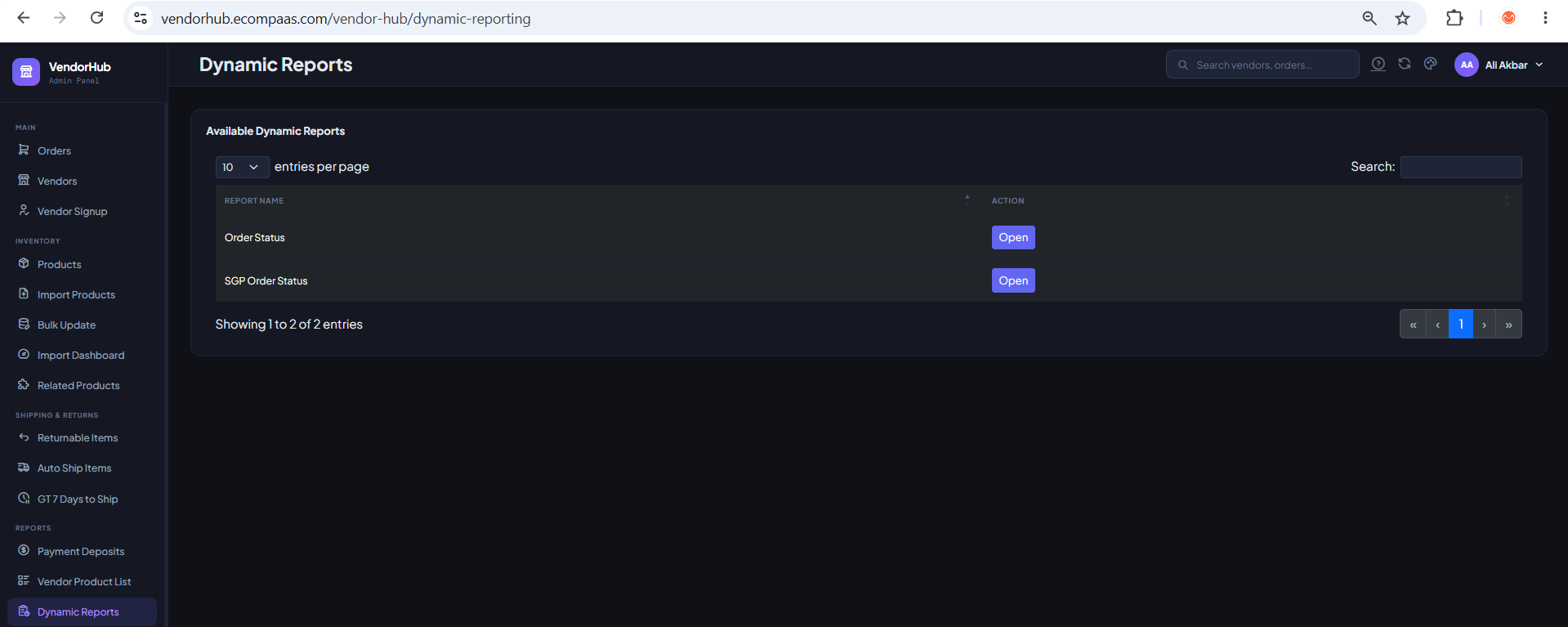
To access Dynamic Reports:
- Log in to VendorHub.
- From the left navigation menu, go to Reports.
- Select Dynamic Reports.
Currently, VendorHub provides two dynamic reports:
- Order Status
- SGP Order Status
The available reports are displayed in a table with an Open button.
Available Reports
| Report | Description |
|---|---|
| Order Status | View detailed information about orders, including order status, vendor, customer, shipping, tracking, and order totals. |
| SGP Order Status | View SGP order status information. |
To open a report, click Open next to the report you want to view.
Order Status
The Order Status report provides detailed information about orders in VendorHub.
It can be used to search and review order information, including the customer, vendor, order status, shipping information, tracking number, and order totals.
Order Status Fields
The report includes the following fields:
| Field | Description |
|---|---|
| order_nr | Unique order number. |
| CBP Name | Name of the CBP associated with the order. |
| Order Status | Current status of the order, such as Open or Closed. |
| address_name | Name associated with the shipping address. |
| phone | Customer or contact phone number. |
| estore_first_name | Customer's first name. |
| estore_last_name | Customer's last name. |
| sales rep_id | Sales representative ID associated with the order. |
| estore_telephone | E-store customer telephone number. |
| reseller_id | Reseller ID associated with the order. |
| issue_time | Date and time when the order was created or issued. |
| close_date | Date when the order was closed. |
| Vendor Name | Vendor associated with the order. |
| carrier_name | Shipping carrier used for the order. |
| Tracking Number | Tracking number provided by the shipping carrier. |
| ship_date | Date the order was shipped. |
| order_total | Total value of the order. |
| shipping_total | Shipping amount charged for the order. |
| actual_shipping_cost | Actual shipping cost associated with the order. |
| Group | Group associated with the order. |
Searching the Order Status Report
The report includes a Search field that can be used to find specific order information.
Steps
- Open Reports → Dynamic Reports.
- Click Open next to Order Status.
- Use the Search field.
- Enter relevant information such as an order number, vendor, customer name, or other available report data.
- Review the filtered results.
You can also select how many records are displayed per page.
Available options include:
- 10
- 25
- 50
- 100
Reviewing an Order
The Order Status report allows you to review important order information in one place.
For example, an order record can show:
```text Order Number: 984 CBP Name: North Forsyth Vikings Athletic Store Order Status: Closed Customer: Sean Vestal Vendor: HyperSku Carrier: YunExpress Tracking Number: YT26... Issue Time: 2026-03-24 11:51:56 Close Date: 2026-03-26